
How Data Visualization Improves Campaign Performance
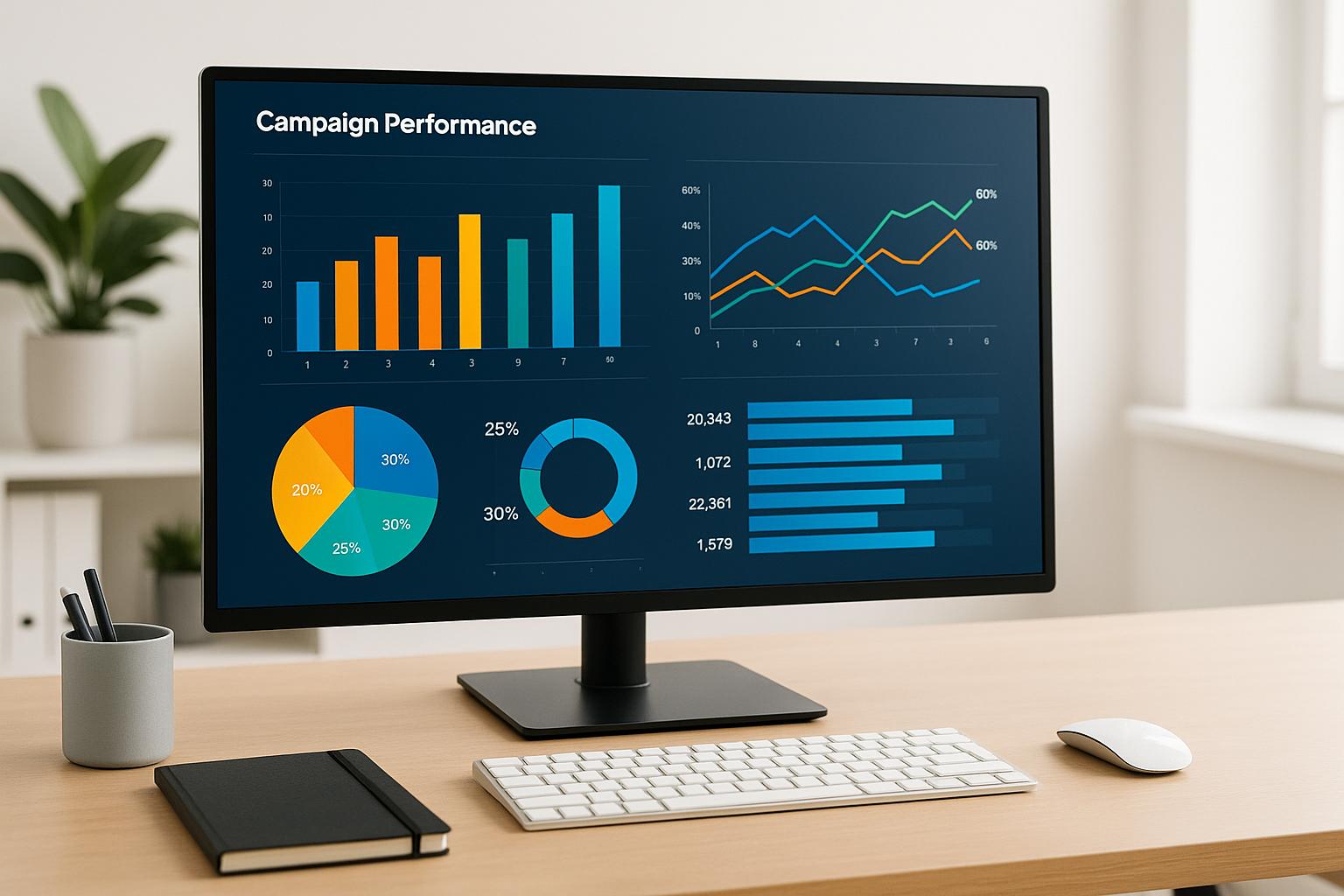
Data visualization simplifies marketing by turning complex metrics into clear visuals like charts and dashboards. This helps teams quickly spot trends, adjust budgets, and improve results. Businesses using visualization tools report a 44% boost in engagement metrics and faster decision-making. Key benefits include:
- Faster insights: Real-time dashboards show campaign performance instantly.
- Better decisions: Spot trends and anomalies like rising costs or falling conversions.
- Clear communication: Visuals make data easy to understand for all stakeholders.
- Smarter budgeting: Compare channel performance to reallocate spend effectively.
How Data Visualization Improves Campaign Decision-Making
Marketing teams often grapple with an overwhelming amount of data from platforms like Google Ads, Meta campaigns, and email tools. When faced with endless rows of raw numbers, it’s easy for critical insights to get lost. That’s where data visualization steps in – turning complex datasets into intuitive charts and dashboards that help teams spot patterns and make faster decisions.
How Visuals Help the Brain Process Data
Research shows that our brains are wired to process visuals – things like position, length, and color – much faster than plain text or numbers. This reduces mental effort and speeds up understanding.
For U.S. marketers analyzing weekly or monthly performance, visualizing metrics such as click-through rates, cost-per-click, impressions, and conversions can make all the difference. A line chart can instantly show whether a Meta campaign is gaining traction or losing momentum. A bar chart? Perfect for identifying the audience segment delivering the best return on investment.
This ability to quickly interpret data is crucial, especially since 72% of marketers use visualization tools, but only about half fully utilize them. Teams that master these tools can spot performance changes during daily check-ins instead of waiting for weekly reports – giving them a real edge in today’s fast-paced digital landscape. It’s this speed and clarity that allow marketers to detect subtle trends and anomalies before they escalate.
Spotting Trends and Anomalies with Visual Tools
Visual tools like line charts and time-series graphs are incredibly effective at uncovering trends, seasonal patterns, and sudden shifts in performance metrics like click-through rates, cost-per-click, and conversion rates .
For example, marketers can quickly identify anomalies – such as a sudden spike in cost-per-click for a specific ad group or a drop in conversion rates after tweaking a landing page. They can also uncover patterns, like differences in click-through rates between weekdays and weekends . Armed with this information, teams can dive deeper to address root causes, whether it’s ad fatigue, tracking errors, or changes in bidding strategies, instead of making broad, less effective adjustments to all campaigns.
Take this case study: A brand used advanced visualization tools to analyze digital engagement metrics and discovered exactly how long users interacted with content after clicking an email. This insight allowed the team to refine their content strategy, leading to better engagement and retention. In another instance, a dashboard that consolidated KPIs across Google Ads, Meta Ads, and email campaigns revealed that a less prominent channel had a lower cost-per-click and higher conversion rate. This insight prompted a budget shift, significantly boosting overall ROI . Similarly, real-time dashboards helped marketers detect tracking issues and overspending in specific regions, saving valuable ad dollars in key U.S. markets .
Real-Time Dashboards for Faster Responses
Real-time dashboards take the benefits of visual analysis to the next level. By pulling live data from ad platforms, analytics tools, and CRM systems into a single, easy-to-read display, these dashboards give marketing teams an up-to-the-minute view of their campaigns .
This means teams can monitor daily ad spend, budget pacing, and key performance indicators (KPIs) without waiting for manual reports. If metrics fall outside target ranges – like rising cost-per-clicks or underperforming audience segments – teams can make adjustments immediately. They can pause campaigns, reallocate budgets, or test new strategies on the same day . Cloud-based dashboards further enhance collaboration by ensuring everyone has access to the latest data, eliminating delays caused by outdated spreadsheets .
Real-time dashboards also allow teams to test solutions on the fly, amplifying their ability to optimize performance. This agility translates into better budget management, faster campaign adjustments, and higher returns on ad spend.
For businesses looking to implement these tools, partnering with experts can simplify the process. Dreamtown Creative (https://dreamtowncreative.com) specializes in designing dashboards that focus on KPIs like ROI, ROAS, and engagement. Their visual reports and animated explainers make complex data easier to understand, empowering both executives and managers to act quickly and decisively.
Using Data Visualization to Track Campaign Goals
Running marketing campaigns across platforms like Google Ads, Meta, and email can make it tough to keep everyone on the same page about what success looks like. Spreadsheets and scattered reports often hide critical metrics and goals. That’s where visual dashboards come in – they provide a shared, easy-to-understand view that works for everyone, from hands-on marketers to executives who don’t dive into the data daily. Let’s explore how these dashboards make KPIs clearer, improve budgeting, and simplify experimentation.
Making KPIs Clear with Visual Dashboards
The best dashboards focus on the KPIs that matter most – metrics like ROAS (return on ad spend), CPA (cost per acquisition), conversion rates, and total revenue. They present this data visually, using tools like color-coded indicators (green for on track, yellow for at risk, red for off track). For example, ROAS might appear as a tile with a trend line, while CPA is displayed as a bar chart broken down by channel.
This visual approach changes how teams work together. Dashboards that are easier to interpret than spreadsheets encourage frequent reviews, often becoming a key part of weekly standups or monthly meetings. These regular check-ins lead to quicker decisions on creative tweaks, audience targeting, or budget shifts. Research backs this up: Tableau found that visuals improve data comprehension by 80%, and McKinsey reported that companies using data visualization are 28% more likely to make timely decisions.
For executives, a streamlined dashboard might include just a few essentials – total spend, revenue, ROAS, and CPA – alongside a simple bar chart comparing performance across channels. Agencies like Dreamtown Creative (https://dreamtowncreative.com) use these kinds of dashboards in client meetings to clearly outline what’s working, what’s not, and where to experiment next.
Improving Budget Allocation and Channel Performance
Visual dashboards also shine when it comes to analyzing spending and performance across channels, helping teams make smarter budget decisions. When data is scattered across platforms like Facebook Ads, Google Analytics, and HubSpot, it’s hard to see the big picture. Unified dashboards solve this by integrating data for real-time comparisons, enabling quick budget adjustments and reducing wasted spend.
Imagine a scatter plot where each channel or campaign is represented by a bubble. The x-axis shows ad spend, the y-axis tracks ROAS or CPA, and the bubble size reflects revenue. Channels in the "low spend, high ROAS" quadrant might deserve more investment, while those in the "high spend, poor ROAS" quadrant may need rethinking. Other visuals, like stacked bar charts or treemaps, can highlight which platforms are overfunded relative to their performance.
In 2023, Coca-Cola revamped its sales and marketing strategy using Tableau to visualize customer preferences across demographics and regions. By tailoring campaigns to specific market segments, they boosted marketing efficiency by 30% and increased sales by 15% in targeted campaigns during the first year. These improvements were directly linked to better KPI tracking and alignment with business goals.
In the U.S., teams often link these dashboards to monthly budget reviews, reallocating tens or even hundreds of thousands of dollars based on clear data rather than guesswork. Visual tools like time-series charts, segmented bar graphs, and heatmaps (where darker colors flag worse CPA or lower ROAS) help pinpoint issues fast. Gartner found that 70% of companies using heatmaps improved their predictive analytics, leading to more accurate campaign forecasts.
Spotify uses visual dashboards to track listener trends across millions of users. By analyzing engagement data, they discovered that personalized playlists outperformed traditional album releases, driving 35% higher engagement. This insight led to a strategic pivot toward personalized content, directly linking data visualization to better campaign outcomes.
Dashboards don’t just help with budgets – they also streamline testing, ensuring campaigns are guided by data at every step.
Simplifying A/B Testing and Experimentation
When it comes to A/B testing, data visualization speeds up the process by making results easy to interpret. Instead of wading through dense tables, teams can use visual reports to quickly spot differences in performance. For instance, a side-by-side bar chart might compare Variant A and Variant B on metrics like conversion rate, CPA, and revenue. Cumulative line charts can show how conversions or revenue stack up over time, and annotations – like test start/end dates or notes about a holiday sale – add valuable context.
To design effective A/B visualizations, start by defining your primary metrics (e.g., leads, purchases, revenue per visitor) and secondary metrics (e.g., bounce rate, time on site). A standardized layout for each test – featuring summary tiles for the winner, lift percentage, and test duration, along with bar and time-series charts – makes it easier to review multiple experiments quickly. Including sample sizes and confidence levels (via annotations or tooltips) helps avoid overreacting to insignificant differences. Grouping tests by goal or funnel stage (awareness, consideration, or conversion) further simplifies analysis.
Categorized test reports can reveal patterns that lead to smarter decisions. Teams that hold regular review sessions – combining visual data with clear explanations and actionable takeaways – tend to see the best results. Agencies like Dreamtown Creative (https://dreamtowncreative.com) enhance this process by pairing visually rich reports with practical recommendations, making it easier for stakeholders to act on insights and improve campaigns continuously.
Best Practices for Visualizing Campaign Data
A well-designed dashboard does more than just display data – it transforms numbers into actionable insights. The key is to present the right information in a format that’s easy to understand and act on. The difference between a dashboard that gathers dust and one that drives daily decisions lies in a few basic principles: showing relevant data in the right format, keeping things simple, and allowing flexibility for deeper analysis.
Choosing the Right Charts for Campaign Metrics
The type of chart you use can make or break how easily your data is understood. Each chart serves a specific purpose, depending on the question you’re trying to answer.
- Line charts: Perfect for tracking changes over time, such as daily ROAS, weekly conversion rates, or monthly revenue. They make it easy to spot trends, seasonal patterns, and the effects of campaign adjustments.
- Bar or column charts: Ideal for comparing performance across categories like channels, audiences, creatives, or devices. For example, a horizontal bar chart showing ROAS by channel can quickly reveal which channels deserve more budget and which may need rethinking.
- Funnel charts: Essential for identifying where prospects drop off in the conversion journey. By mapping out stages like impressions → clicks → leads → purchases, you can pinpoint bottlenecks. For instance, if clicks are high but add-to-cart rates are low, the issue might lie with your landing page rather than your ads.
- Scatter or bubble charts: Great for analyzing trade-offs, such as CPC versus conversion rate. These charts help you identify campaigns that might attract cheap clicks but fail to convert, or those with higher CPCs that bring in profitable customers. Adding bubble size to represent metrics like total revenue or impressions can provide even more context.
| Campaign Question | Best Chart Type | Example Metrics | Why It Works |
|---|---|---|---|
| How is this changing over time? | Line chart | Daily ROAS, weekly CTR, monthly conversions | Highlights trends, seasonality, and anomalies |
| Which option performs best? | Bar/column chart | CPA by channel, revenue by audience, CTR by ad | Simplifies comparisons |
| Where are we losing people? | Funnel chart | Impressions → clicks → leads → purchases | Pinpoints drop-off points |
| What trade-offs exist? | Scatter/bubble chart | CPC vs. conversion rate, spend vs. revenue | Shows outliers and patterns |
Studies show that using the right chart type for the data structure significantly enhances comprehension. Visuals make it easier to detect patterns, spot outliers, and dissect data relationships – critical for identifying underperforming segments or standout creatives. According to marketing analytics research, businesses that excel in data visualization see a 44% boost in engagement metrics.
Avoiding Dashboard Overload
Cramming too many metrics onto a dashboard can overwhelm users and shift focus to less meaningful data, like vanity metrics (e.g., impressions), instead of actionable insights. To avoid this, prioritize the most important metrics.
Experts suggest focusing on 3 to 7 primary KPIs that align with your campaign goals . For example:
- eCommerce campaigns: ROAS, revenue, and CPA.
- B2B lead generation: Lead volume, cost per lead, and pipeline value.
These key metrics should be prominently displayed at the top of the dashboard as large tiles or scorecards, complete with trend indicators. This layout ensures that anyone accessing the dashboard immediately sees whether the campaign is on track.
Secondary metrics, like impressions or engagement rates, can still be included but should be tucked into collapsible sections or drill-down views. This approach maintains a clean, actionable dashboard while offering depth for those who need it.
Interestingly, while 72% of marketers use visualization tools, only about 50% feel confident in leveraging them fully. This gap often stems from dashboards trying to display too much at once. Effective dashboards focus on answering specific questions – like "Where are we overspending?" or "Which creative is performing best?" – while surfacing anomalies and trends instead of overwhelming users with raw data .
Consistency in design also plays a big role. Use uniform colors for the same channels across all charts, clearly label scales and units (e.g., "Cost per acquisition ($)" rather than just "CPA"), and place primary KPIs in the top row to follow natural reading patterns. These small adjustments reduce errors and speed up comprehension . Agencies like Dreamtown Creative specialize in creating streamlined, brand-aligned dashboards that cut through the clutter and focus on what matters most.
Using Interactive Visualizations for Deeper Insights
Interactive dashboards take things a step further by turning data into a hands-on tool for decision-making. Unlike static reports, these dashboards allow users to filter, drill down, and adjust time ranges, making it easier to uncover causes and take action.
- Filters: Quickly isolate performance drivers by filtering data by date range, channel, audience, device, or geography. For instance, if CPA spikes, you can filter by audience to identify the culprit or by device to see if mobile traffic is underperforming.
- Drill-downs: Start with high-level metrics like total ROAS, then click through to see ROAS by channel, campaign, or even individual creatives. This layered approach helps you answer questions faster .
- Tooltips: Keep visuals clean while adding context on demand. Hovering over data points can reveal exact values, sample sizes, or annotations like "Holiday sale started" or "Paused underperforming audiences" .
Real-time or near-real-time updates make these dashboards even more powerful. Instead of waiting for weekly reports, teams can monitor performance continuously. If a campaign’s CPA starts climbing mid-week, adjustments can be made before the budget is wasted. Research shows that real-time dashboards improve agility by enabling quicker decisions and faster response times .
Interactive dashboards are also invaluable for tasks like A/B testing and budget optimization. For A/B testing, side-by-side bar or line charts with filters for segments or devices make comparisons straightforward . For budget decisions, scatter plots mapping spend versus ROAS or CPA highlight underfunded high performers or overfunded underachievers .
The shift to interactive dashboards, which integrate data from ad platforms, web analytics, and CRM systems, is a major trend in marketing analytics . These tools empower non-technical marketers to explore data independently, reducing reliance on analysts . When paired with clear design and focused KPIs, interactive visualizations turn campaign data into a powerful competitive edge.
Conclusion
Data visualization has become a game-changer for modern marketing strategies. Marketers who prioritize clear, real-time, and thoughtfully designed visualizations consistently make smarter decisions, track progress with precision, allocate budgets more effectively, and ultimately drive better campaign results. Relying on fragmented spreadsheets or outdated manual reports simply doesn’t compare.
These visual tools simplify budget reallocation decisions. For instance, when differences in ROAS (Return on Ad Spend) across channels are displayed clearly, shifting budgets becomes a straightforward, data-backed decision rather than a drawn-out debate. As outlined earlier, well-crafted visuals empower marketers to make quick, informed choices that directly influence campaign success.
Centralized dashboards are especially powerful. They bring together critical performance indicators – like cost per acquisition, revenue, and ROAS – into a single, always-accessible interface. Real-time tracking ensures teams can respond instantly to issues like rising costs, declining conversions, or underperforming creative assets, enabling continuous campaign optimization.
But the benefits go beyond just metrics. Effective data visualization also strengthens communication with stakeholders. Visual stories simplify complex data, making it easier for non-technical audiences to grasp campaign results and market insights. This clarity builds trust, speeds up decision-making, and streamlines budget approvals. When executives can quickly see ROI, growth trends, and potential risks on an intuitive dashboard, they’re more confident in making timely, informed adjustments.
The roadmap to success is straightforward: start by defining a focused set of KPIs directly tied to your business objectives. Then, implement real-time dashboards that pull data from key platforms, ensuring decision-makers always have the most current insights. Use chart types that best address specific questions – line charts for trends, bar charts for channel comparisons, and funnel charts for conversion stages. Finally, establish a regular review process where your team analyzes dashboards, identifies patterns or issues, and documents opportunities for improvement.
Keep the focus on clarity, not complexity. Build interactive dashboards that allow deeper exploration of data without the need for additional reports.
For even faster results, consider partnering with experts. Agencies like Dreamtown Creative specialize in turning complex data into actionable insights. They can integrate data visualization into broader campaign materials – like case studies, landing pages, and executive presentations – showcasing ROI and performance gains while maintaining a cohesive brand message.
Data visualization isn’t just about aesthetics; it’s about making every dollar count, speeding up decision-making, and driving stronger outcomes. By transforming raw numbers into clear, actionable insights, your campaigns become smarter and more effective. When you see your data clearly, you can act on it with confidence – and that’s where the real magic of campaign performance begins.
FAQs
How does data visualization help optimize marketing budget allocation?
Data visualization simplifies the process of spotting trends, patterns, and inefficiencies in your marketing campaigns. By turning complex data into visual formats like graphs or heatmaps, it allows marketers to quickly identify which strategies are working well and which ones are falling short.
This clear perspective helps make smarter decisions about budget allocation. It ensures resources are directed toward high-performing channels while scaling back on those that aren’t delivering results. The result? Every dollar spent works harder toward achieving campaign goals, boosting ROI, and enhancing overall performance.
How can I choose the right type of chart to track campaign metrics effectively?
When it comes to choosing the right chart, it all boils down to the type of data you’re working with and the story you want to convey. Line charts are perfect for illustrating trends over time, while bar charts shine when comparing different categories side by side. Want to showcase proportions? Pie charts or donut charts can do the job, though it’s best to use them sparingly to avoid visual clutter.
Always think about your audience and what will help them grasp the insights quickly. A clean, uncluttered design with a focus on clarity ensures your data visualization aligns with and enhances your campaign objectives.
How do real-time dashboards improve marketing campaign results?
Real-time dashboards give marketers instant access to how their campaigns are performing, allowing for quicker and smarter decisions. By showcasing key metrics like engagement rates, conversions, and ROI in a visual format, teams can spot trends, tackle issues, and fine-tune strategies while campaigns are still running.
These tools break down complex data into easy-to-understand visuals, making it simpler to monitor progress and tweak tactics as needed. This level of clarity helps businesses get the most out of their marketing efforts and ensures resources are used wisely.